I’m testing the restore functionality in Envoy on GrapheneOS. I have Android backups backing up to my own Nextcloud Server via WebDav and can see an app backup for Envoy a few days ago.
I then uninstalled and reinstalled Envoy but I don’t get an option to restore Envoy from my backups.
Am I doing something wrong or misunderstanding how the Envoy back up / restore works?
Thanks. This worked. I uninstalled Envoy and then restored the app from SeedVault.
On opening the Envoy app no wallets were visible. I navigated to Hot Wallet > Restore and from here could see my restored wallets.
I wasn’t able to connect to my Prime here, but after a hard app restart I could then pair. I then verified my magic backups with one card and Envoy and all looks good.
The flow isn’t as smooth as I expect the Google drive back up is, but it works.
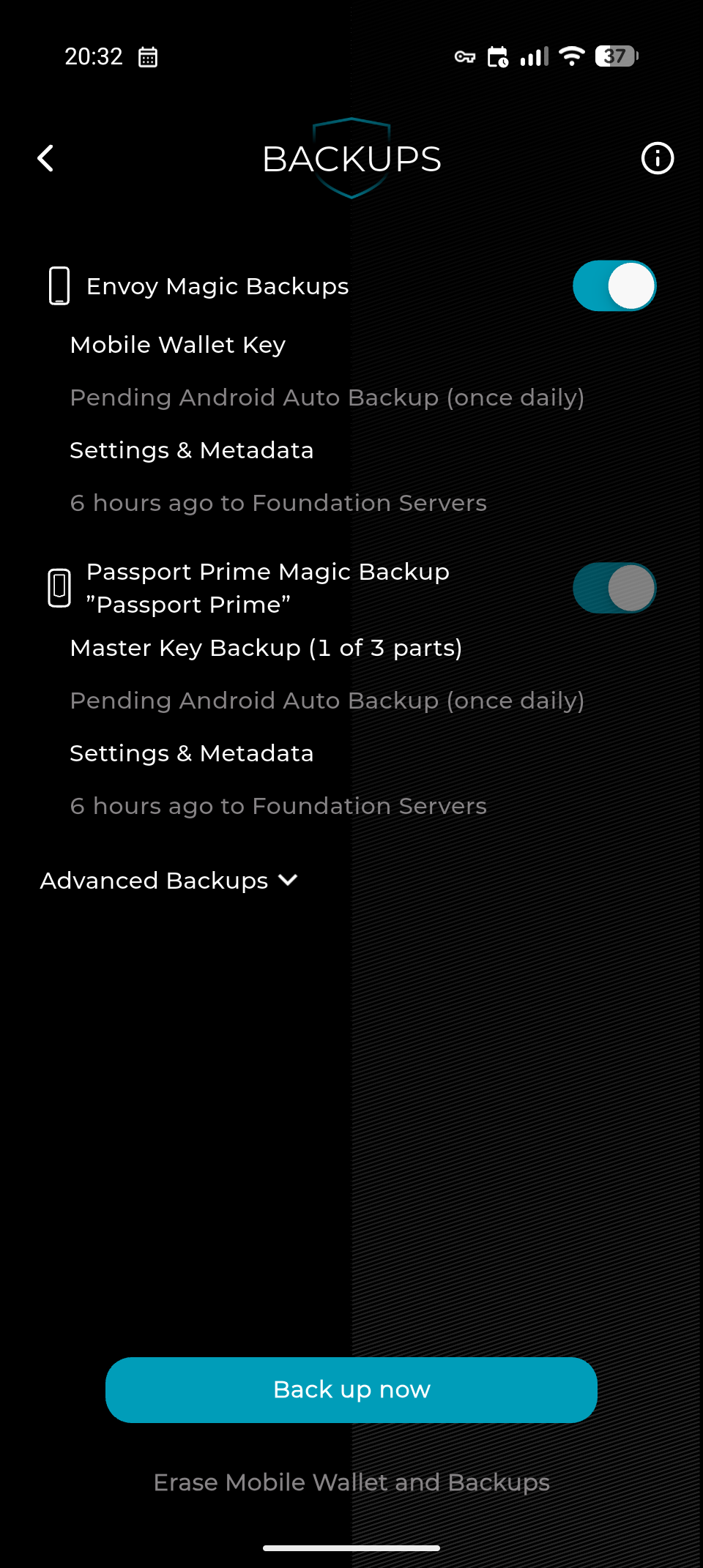
I’ve attached a screen grab of my Envoy backup status after restoring the app from SeedVault showing that a backup exists but isn’t backed up to Android Auto Backup
I tried this sequence on a fresh grapheneOS install 3 times. The first time, I got a full restore of Prime/Envoy with 1 keycard and 1 part found within Envoy. The second and third attempts found no part in Envoy and so required 2 keycards, but I did get full restores.
Of note: my Envoy Mobile Wallet was imported from a 12 word seed I already had, so it wasn’t self-generated as would be typical. Can’t imagine that would be a problem though.
This explains the behavior. When you do magic backups on Graphene the third shard is stored on that Envoy instance alone (because you don’t have a google/apple account where to beam it to). This Passport Prime shard is not part of the Envoy Magic Backups, so if you uninstall and reinstall Envoy, you lose it.
What you need to do is after you send the shard to Envoy on setup, do a GrapheneOS backup, then uninstall Envoy, and then instead of installing stock Envoy again (it won’t have the shard) you need to recover Envoy from your grapheneOS backup (this was backed up with the shard, so it should work). Steps detailed here.