Could not get it to connect to another mobile device with Envoy as a back up in case my primary phone is lost. Now its disconnected from my primary phone and when i tried to reconnect it that was a fail… it said: “Accessory removed, please reconnect Prime” there was a button below this notice that said: " Pair Passport Again." And it failed to operate… i pressed it and held it several times and it did nothing. Please advise…Thanks!
Passport Prime can only connect to one phone at a time via QL. I’d advise you to forget the device from the Envoy devices page and Bluetooth menu of both phones, then reconnect to the desired device by tapping the + icon in the top right corner of the devices page.
Are U telling me to Unpair the Envoy from the Device Details page and then try to reconnect using the steps U recomended above??
Yes. Make sure the device is also removed from the bluetooth accessory list of both phones before re-pairing too. See step 5 here.
Finally got it all figures out with all Ur help thank you I can see my funds and accounts again! Passport Prime (PPP) is now funtioning and connecting again…
I have a question on these lines. Can I connect Prime to envoy on 2 different phone. The first phone would have Magic BU DISABLED, and the second phone would have Magic BU ENABLED. Since I do not want to install GPS on my primary phone with graphene os but do have lifetime free magic BU I was thinking of getting a second phone (data only sim or no sim and wifi only) that would I would use primarily to use the magic backups, or other apps requiring GPS. The first phone I would I would manually backup the 2 required files for seed BU and metadata, and the second phone I would use 2 NFC cards along with the magic BU. Would this work or present any conflicts?
Hey @pugpack33, a couple of things worth clarifying here.
Prime can only be QL-paired with one phone at a time, so the two-phones-simultaneously setup isn’t possible. You can switch which phone it’s paired with, but not have both active.
Secondly, since KeyOS 1.2.1 the choice between Magic Backup and manual backup is made on Prime itself during onboarding, not via Envoy. So it isn’t really a per-phone setting in the way you’re picturing.
What you can do, and it gets you most of what you’re after:
- Set up Prime with Magic Backup using your secondary phone (the one with GPS). That handles the 2 cards + Envoy share + auto-synced metadata.
- Use either phone for daily Prime interaction, just unpair from one before pairing to the other.
- For belt-and-braces redundancy, go to Settings > Backups on Prime and manually export an encrypted Settings & Data backup file. Store that offline (USB-C drive, microSD, wherever). You can also write down your BIP39 seed words from the same menu if you want a paper backup of the master key.
That gives you full Magic Backup convenience plus offline copies you control, without needing two phones running in parallel.
OK, that makes sense. So in reverse, just to be clear, I can have Envoy linked to both my Passport and Prime and any number of devices on the same phone, of which each has its own independent and different PINs and seeds, etc..? As a separate issue, specifically with the graphene os pixel. I can set up a second owner for Envoy and install GPS, do I need to be logged into a google account or is having it installed in the second owner account sufficient? Lastly, what is the file name of the encrypted share which is saved into Google drive? Even though the file is useless without the master seed and another share would a hacker know what it is, exposing the user to a wrench attack?
Correct
The second profile essentially acts as a second phone - no links to the main profile whatsoever (other than app version for shared apps). This means that you need google services installed in this second profile, and a google account logged in in this second profile, in order to take full advantage of Magic Backups in all its glory.
We do not save a “file” in google drive in the regular sense, we use google auto backups, which is a separate system. Much like apple’s keychain, this info is saved separately from your usual google drive. It is linked to your account and pulled from it when you restore your account while setting up a new phone, but it’s a separate - not user visible in google drive folder is you will. So not prone to wrench attacks should someone gain temporary access to your google drive folders if this makes sense
A follow up. I finally decided to go back to my original Android device that I had Envoy attached to my passport. Although I have since ported my number and have no sim or esim. I use the device strictly via wifi, but it is logged into my google account. I know have both devices on linked to this Envoy. However I notice that irrespective of which device I select, ALL the wallets I set up in each device, respectively are in the list, although one set of wallets are blue and some are grey. ALSO, it took numerous times for the the backup to the 2 NFC cards to actually work. It would show as though it was savings and then give an error. Had to go out and back in several times to get it to finally work. It took at least 15 to 20 minutes before it completed. But I was able to quickly verify the keycards. Thanks
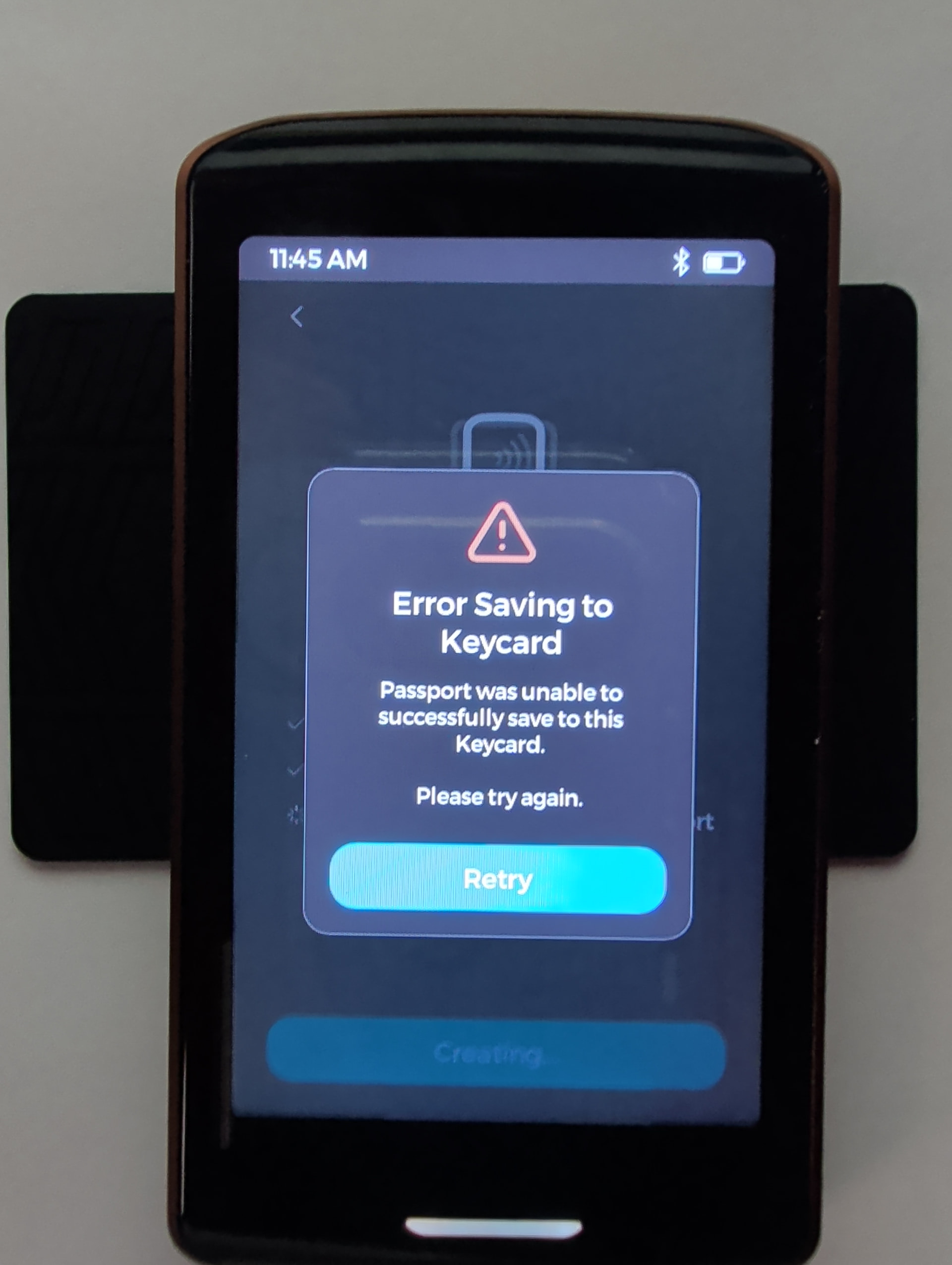
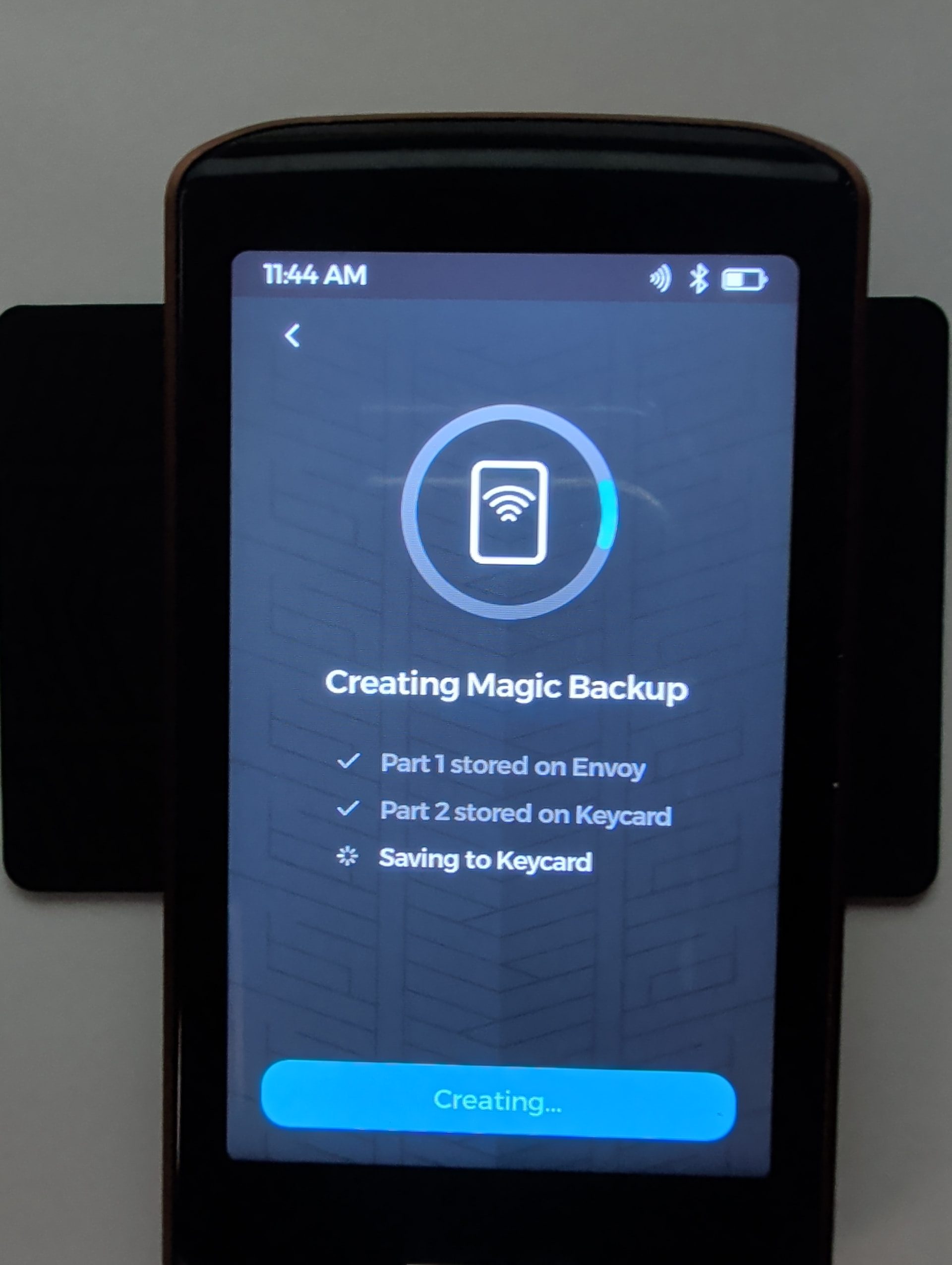
Hey @pugpack33, glad you were able to figure out the NFC Keycard positioning. However, FYI, it looks like your keycard is positioned too low in the photos, which is likely why it wasn’t reading properly. The top side of the keycard should be aligned with the top edge of Passport Prime, see this section of the docs and the video for clearer info: Prime
What do you mean by this? Am I understanding correctly that you have loaded the same hot wallet and associated Magic Backup loaded into two different phones?
I’m afraid I am a bit puzzled about your current setup to follow you, you are talking about one Passport Prime paired to two phones, and different accounts paired to each phone? Or do you have two Passport Primes and you are talking about two different setups on each phone? I am also a bit confused about the blue/gray colors you mention in Envoy - all accounts should have colors in Envoy, not sure what gray color you mean. I think if you could further explain what your setup is I would be better positioned to answer your questions - thank you!
-
Comment on card positioning - Although I was aware of this, I was having issues with various distances from the top of Prime. Either way I have made a note of this.
-
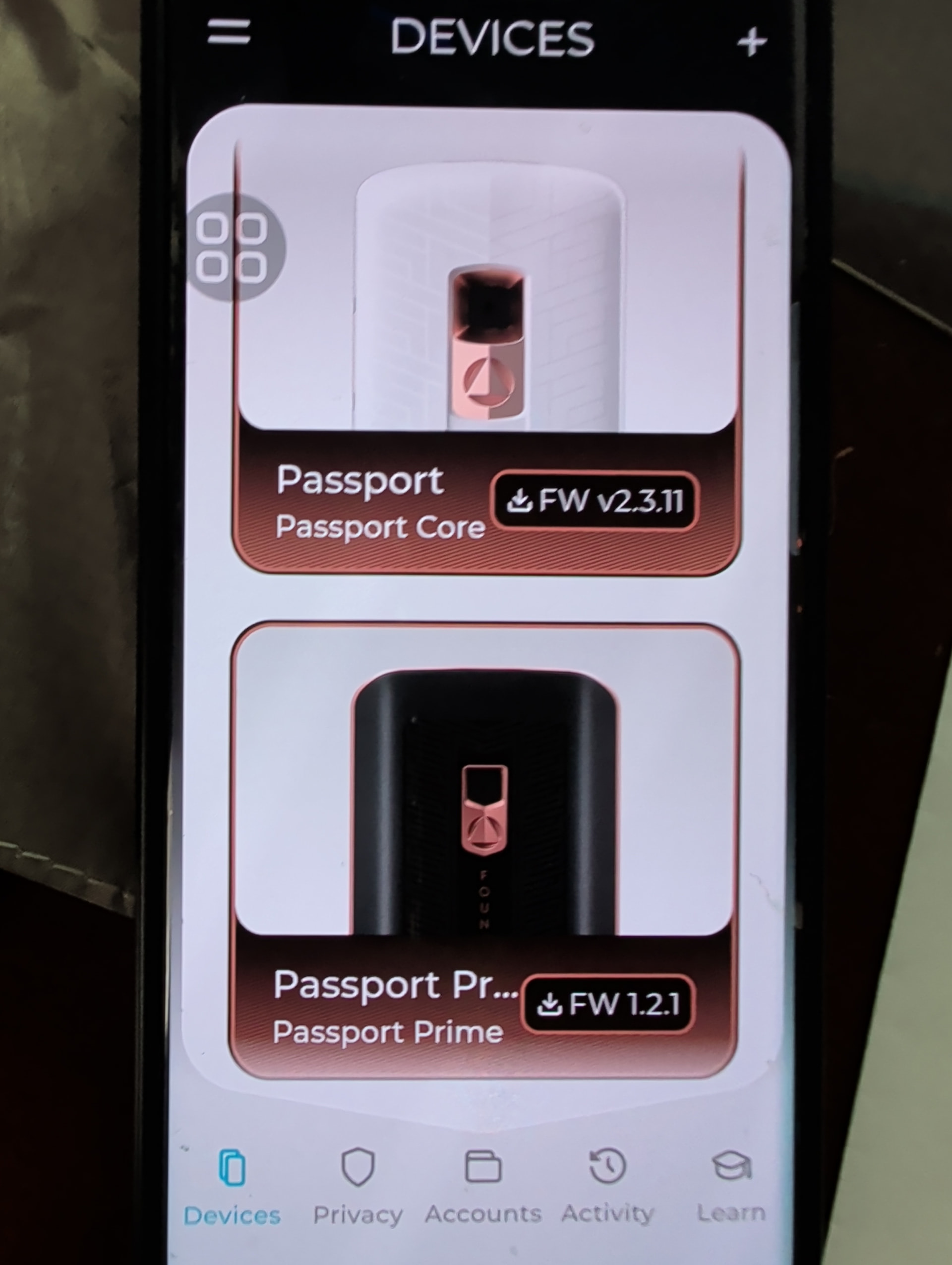
I have been using Passport for a couple of years and it was linked to Envoy on my Samsung (verizon) phone which was logged into a google account. I had an identity theft last year and had some BTC stolen (stupid key management also played a role, so I take some responsibility). Along with many other changes, I have since ported my phone number of nearly 20 years to voip, deleted everything from my google account and use it now as a passthrough, so any email is forwarded to my proton and I make no use of any other google service. I have replaced my primary phone with a Pixel with graphene os and use Cape for cellular (threat model for me is SIM swap, especially concerned as bad actors use AI), and now only use the original Samsung phone on wifi with a voip app for voice. I am reluctant to do anything with google, but since Magic BU will only work with Envoy on a phone logged into a google account, rather than trying to link my Prime to another device which I am adamant about keeping GPS off, I figured I would just link the Prime to Envoy on the Samsung phone, since it already linked to google. So as per the photo above, I have BOTH the Passport and Prime linked to Envoy on the Samsung phone. That is why in this forum I requested clarification that in fact multiple Foundation devices can be linked to a single Envoy application.
-
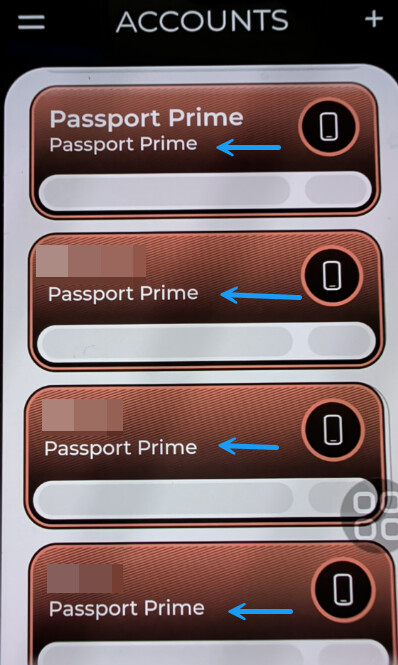
When I open Envoy, and click on Devices I see the 2 Foundation devices linked, Passport and Prime, respectively (posted above). When I click on Accounts I see the wallets I had created in Passport and the those created in Prime, respectively. As for the colors, note that the wallets created on Passport have a Blue background, except for the 1st, indexed 0 wallet, and the Prime are all brown (not gray), it was a note of observation, I assume for differentiation, but it is weird that the first wallet in the Passport is the same color as ALL the wallets I have created in Prime.
-
After the theft last year I moved anything left in Passport out. I have no intention of using it again as it was compromised. Ultimately the plan was to reset it, and perhaps use it as one piece of a multi-sig set up. But then again I have thought about the process of setting up multi-sig, using multiple devices, and using passphrases. At the EOD, I come full circle and apply the K.I.S.S principle. If you have a sound and effective key management, no need to make things overly complicated, at least for now. Personally, I break up wallets to better track cost basis, I am not spending just stacking for now. I have paid for a concierge over a year ago, but frankly am trying to figure an agenda to best spend the time. For now I just want to become familiar with Prime and best use all its functionality as I make it an integral part of my security measures and I really want to become comfortable before moving sats back into cold storage.
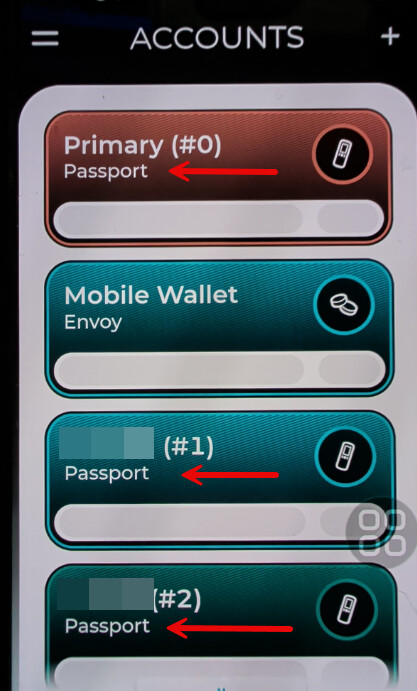
Thank you for thre thorough and detailed explanation @pugpack33 , answering by bullets:
- First of all, I’m sorry you were victim of an identity theft, those are indeed a big problem. But kudos to you for recovering from that and for reviewing your entire setup. I now understand your previous comment, thank you. FWIW, GPS should not be needed for Envoy or Magic Backups, so you can keep that off while having the Envoy and Magic backup setup work properly (unless this phone is in some old android version, back then bluetooth required GPS permission, though not GPS access).
- Ah yes, brown. We usualy go with gray for “disabled” stuff, like archived accounts on Passport Prime, which is why when you said gray I got so confused thinking you might have hit a massive bug. Yes, that is a WIP - we are aware that currently Passport Prime only creates brown accounts. Thank you for bringing it up though, it was one of the fixes we had to push from 1.2.1. It is currently being worked on though =)
- Again, I am sorry about this. The good news is that it sounds like the device itself was not compromised (we are not aware of any such case anyway), but rather the seed was. While the difference might sound futile, there’s a key distinction - factory resetting your Passport Core (you still need to remember the PIN though!) should fix the problem, and you should be able to start anew with it as well. Good practice would be creating a backup to two or three encrypted microSD cards, geographycally dsitributing these microSD cards, then saving the decrypting key in your password manager (which should be secured by user+unique pwd+2FA key). In any case, this is slightly off-topic. Back to Passport Prime - you are doing the right thing asking questions and getting familiarized with the device before moving any funds in. Anything else we can help with, please do let us know!
Thank you!!
It is a Samsung S21 with Android 15 and current to latest security patches. I never carry this phone with me it remains on the wifi in around my home behind my firewall. The Passport was never compromised just the seed and they only took some of the bitcoin, maybe I moved the rest before it could be taken I do not know. I do know the PIN and am able to login no problem. I just know if I do use the Passport and incorporate it into my strategy I will reset it and create a new master seed and go from there.