What are you trying to achieve?
I am trying to restore from Magic Backup (bought a new iPhone. the old one has been wiped.)
What steps are you taking to try and achieve this?
I installed Envoy on the new phone. Could not see any way to restore from Magic Backup (only offered opportunity to create a new Envoy wallet and to pair a hardware wallet).
What are you seeing or experiencing to suggest that something is wrong?
Creating a new Envoy wallet does just that (empty wallet, no transactions). It does not recover my old Envoy wallet. I do not see a way to enter my seed phrase, nor any way to point Envoy to my Magic Backup file.
What version of Envoy are you using?
2.1.1 (2)
Does your query relate to the mobile wallet or a Passport account?
Mobile wallet
If you lose your phone or delete the Envoy app, restoring your Envoy Wallet takes only a few seconds with our Magic Backup. Here’s how you do that:
Ensure you are signed in to your iCloud or Google account
Install Envoy and tap Set Up Envoy Wallet on the opening screen.
Choose your privacy setting and tap Continue.
Envoy will automatically restore your wallet.
That’s it!
Here’s what happens under the hood:
Envoy checks the secure element on your phone and looks for the seed.
If it discovers a seed on the secure element, Envoy hashes the seed and sends the hash to our server. This only proves your knowledge of the seed and does not reveal your seed itself to Foundation.
If it does not discover a seed, it downloads the encrypted seed backup from your iCloud Keychain or Android Auto-Backup and restores the seed to the phone’s secure element. Envoy then hashes the seed and sends the hash to the Foundation server.
The server then sends the encrypted Envoy Backup file to Envoy.
Envoy uses the seed to decrypt the Envoy Backup file locally and restores all user settings, account labels, and other app data, so your Envoy looks identical to the last time you left it.
Android users recovering their magic backup wallet onto a new phone will need to perform a full Google backup restoration on the new device.
Thank you, but I have seen this is and it is not a helpful document. The initial screen offers the opportunity to Create an Envoy wallet (not “setup” a pre-existing wallet). In any case, the result is an empty wallet with no accounts and no transactions. With Magic Backups turned on, I suspect my most recent (empty) wallet is also now the most recent backup.
WhatI need to know is where the backup file(s) reside and how to point Envoytothe correct one.
@Brewse if you had MB enabled on the old iPhone and were signed into the same iCloud account when you downloaded Envoy on the new phone, the ‘Create a Mobile Wallet’ should have auto-recovered.
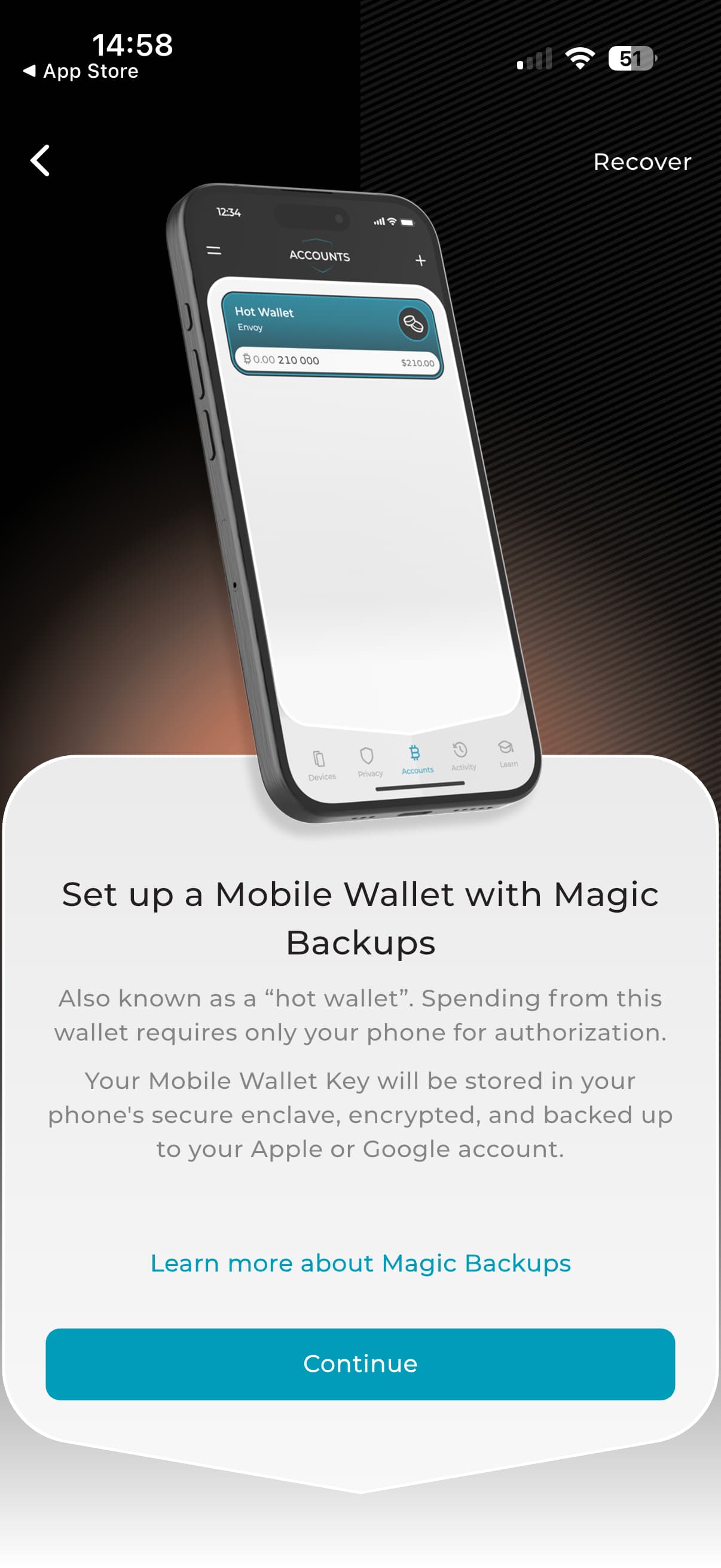
If there was nothing detected locally on in the cloud, you’d then see this screen, where there is a ‘Recover’ option in the top right corner.
This recovery screen will then allow you to perform a manual recovery via QR code scan. This assumes you still have access to the old instance of Envoy on the old phone. If you do, simply head to the settings and show seed words as a QR code and scan with the new phone.
I did have Magic Backups enabled on my previous phone, and am signed in to the same iCloud account on new phone.
I am using Apple Advanced Data Protection, if that matters.
Envoy does recover a wallet, but not the one I had on my previous phone. I can not remember what happened the first time that I installed Envoy on the new phone and attempted to recover the Envoy wallet (I don’t think I saw the “recovering” animation, but can’t be sure).
It would be nice to recover the Account details, but it seems that is not going to happen.
Is there a way to type seed words into Envoy instead of scanning a QR code? I have the seed words, but not in a tool that will generate a QR code.
Strange that you were somehow able to overwrite the wallet from the old phone in your iCloud account. We’ll try to replicate this ourselves, but generally iOS is pretty bulletproof with this sort of stuff.
Yes you can recover via seed words.
Go to settings > backup and erase the empty mobile wallet.
Then erase the app and start again with a fresh download
From the opening screen tap advanced and turn off Magic Backups (don’t worry, you can re-enable this later in settings)
Back at the opening screen tap create a mobile wallet
Then tap recover in the top right
From the next screen you have the seed word import options
After importing the seed, you’ll also have the opportunity to import any offline copies you might have saved of your backup file containing metadata like account names, tags and notes etc
I followed your instructions . . . not sure whether I fumbled the shutting off of backups (had to tap it twice, but toggle was OFF when I left that screen).
Erasing the empty wallet involved confirming that I knew the seeds and giving Envoy a location to save an encrypted backup. I made a point of giving it a different location in iCloud than the default it had chosen.
After launching the fresh installation of Envoy it showed the recovering animation (I had and still have backups shut off) and it recovered my original Envoy mobile wallet (from Foundation?).
So I have my wallet back. The system is a bit mysterious to me (and I certainly do not expect you to work out exactly what happened here), I wish that I understood it better. I now see 2 “envoy_backup.mla” files (one in iCloud Drive root, the other in a subfolder), and Backups is still turned off (though I am about to turn it on).
It did not recover my associated Passport wallet/accounts (I had thought that they would be part of the same encrypted file).
Thanks for the detailed info. Just to confirm a few things:
The mobile wallet you have recovered now is the original one and you’ve check this by comparing seed words or viewing balance/transaction history?
When you reinstalled Envoy, you checked Magic Backups was disabled, then tapped ‘Create New Mobile Wallet’ and the recover animation kicked in at this point, is that correct?
Perhaps I should clarify, the 2 “envoy_backup.mla” files that I can see in iCloud both indicate a creation date this month.
My prior phone was retired, and my new phone put in service, back in September/October time frame. After an initial attempt (probably October) to use Envoy and seeing that it didn’t recover my original Envoy wallet, I stopped thinking about it until the last week or so.
Edit: The original Envoy Mobile Wallet would have been created a long time ago, shortly after I acquired my first Passport, which is current generation but very early unit (when Envoy backups might have had diff storage location?).