Support Request Template - If you are seeking support, try to answer the following questions when creating your topic. It will vastly improve the speed at which someone can help. If you do not require support, delete this text and create your own topic intro.
- What are you trying to achieve? Sending bitcoin on chain from Envoy
- What steps are you taking to try and achieve this? Click Account, then Send, enter wallet address and amount
- What are you seeing or experiencing to suggest that something is wrong? The only choice is to “Send Max.” When I enter an amount, that part of the screen never switches to “confirm.” If I choose “Send Max” it DOES switch to confirm and then moves to the confirmation dialog as expected, but I don’t want to send everything… If I click “Send Max” and then change the amount, the confirmation page still shows all of the funds in the account, but I only want to send a portion of them.
- What version of Envoy are you using? 2.02
- Does your query relate to the mobile wallet or a Passport account? Mobile wallet
In order for “send max” to change to “confirm”, you also have to type the amount you want to send, alongside the destination address. If no amount is typed in, then the only way forward is via “Send Max”
Hi Jack. As I already mentioned above, when I enter an amount, that part of the screen never switches to “confirm.” This is the problem. I cannot proceed to send anything but the entire contents of my wallet.
So far I am deeply disappointed with the lack speed and quality of support for what is supposed to be a premium product. I’m attempting to do something very basic here, and it’s been 3 days.
Sorry, I misread “address” for some reason, I thought you were only entering the destination address.
This is the first report of this kind we get, I will open an internal ticket for investigation. Just to make sure we have all the info, are you on ios or android? Also, is this a passport account, or is it a hot wallet?
RE: speed and quality of support, I’m sorry you feel that way. We have a worlwide distributed team and your question came in when there was no one online, so we couldn’t reply to it until this morning. Let’s try and get your issue resolved though
I appreciate your replies Jack. I’m on iOS. I’m attempting to reinstall the app now. I was hoping that “magic backup” would make this easy, but my only two choices with the app are “set up a wallet” or “use a passport device.” I also need to re-establish the connection to my personal node. What a pain.
It’s working now after re-installing Envoy. Nice little software bug I guess. Wish I’d have seen this about the magic backup before setting everything up from scratch again. Oh well, I guess it was a good refresher about how it all works. I’m not thrilled about the fact that it happened in the first place and I was unable to move my sats when I wanted to.
Happy to hear you got it sorted out! It is an odd one you hit though… I will keep the internal ticket open and assign some reosurces to it, it’s indeed one frustrating bug to hit, we’ll try and find where it comes from and patch it right away. Thank you for reporting it! Anything else you need let us know
Thanks - in case it helps narrow things down, I’m relatively certain that the Envoy wallet was originally set up on my old iPhone (13) and was automatically migrated to a newer iPhone (16) using Apple’s migration tool(s). It’s likely that this was the first time I attempted to send anything from the wallet following that upgrade. With the bug, the “send max” never became “confirm” regardless of what was typed in the wallet address or amount. After reinstalling, if I typed an amount, that switched to “enter a valid address” and with a valid address, it became “confirm.” Cheers!
I don’t have a hot wallet on Envoy. It was happening with both of my passport accounts. I have a KYC and non-KYC one.
Now I can’t get the firmware updated on my passport. I’m having the same error as described in this thread. I’m now locked out of it for spam-posting, I guess.
I’m out of patience for now but appreciate any guidance to get the firmware current. I had no issues updating it the previous 4 or 5 times, but keep getting that same OS error now. Cheers!
Just to clear up any confusion, I personally responded to the email you sent to us on Friday 22nd (around 2PM EST), the following day at around 5:30AM EST. Might be worth checking your spam/junk email folder as your email client may be filtering our replies.
I will respond to the firmware problem in the thread you linked.
No confusion here mate, I even responded to you. I guess you didn’t see that?
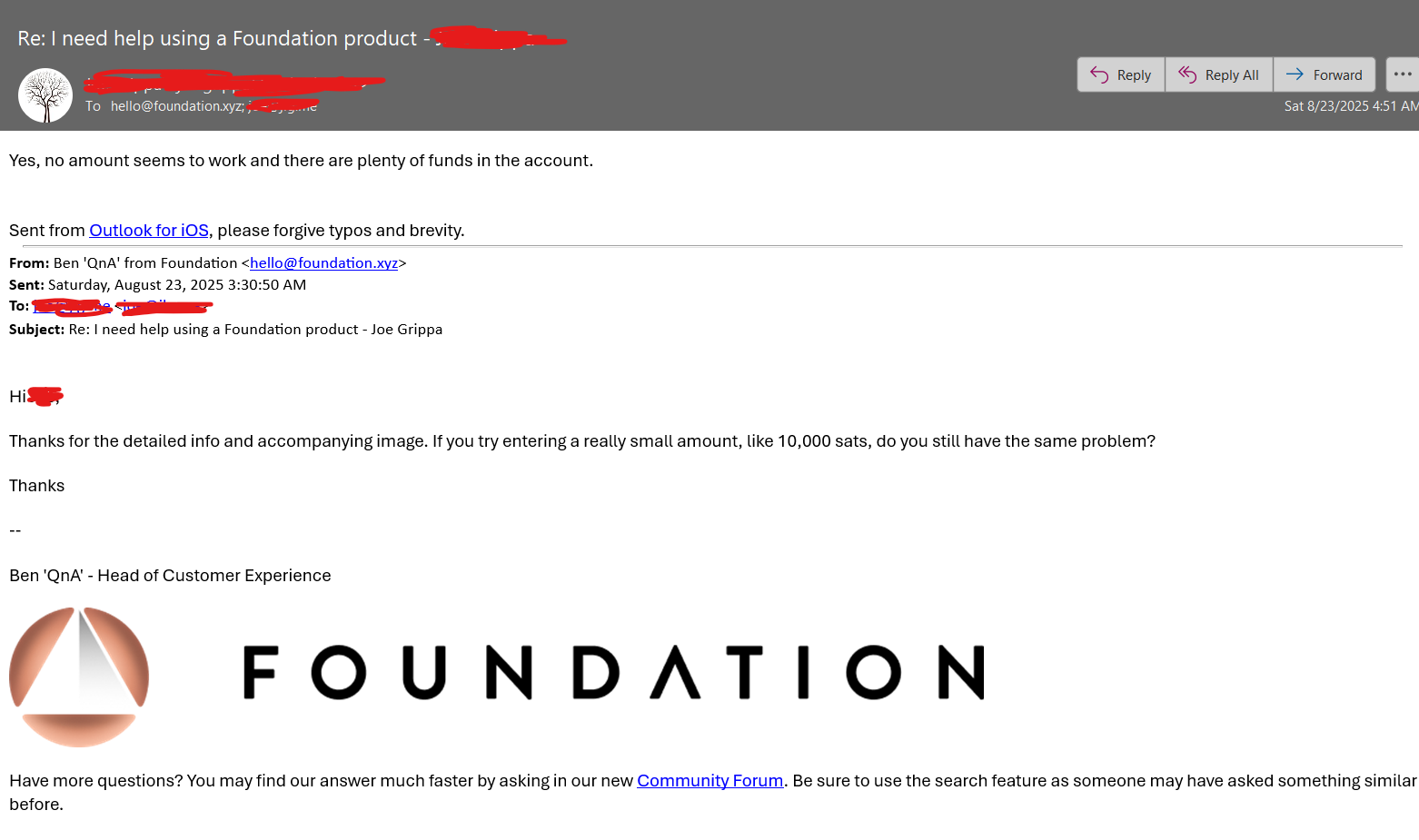
On Saturday at 5:30AM you said “Hi Thanks for the detailed info and accompanying image. If you try entering a really small amount, like 10,000 sats, do you still have the same problem?” and I replied about 1.5 hours later with “Yes, no amount seems to work and there are plenty of funds in the account.”
My referring to 3 days in the original post here is the fact that I was trying to send sats on Friday, and I ultimately was unable to do so until I re-installed the app. Something I did on my own, without any suggestions from you or others at Foundation.
Not sure what went wrong with your email systems, but here’s what I’m seeing on my end. Hopefully you received my most recent response to the same address. Cheers!