I’m uncomfortable with only 12 words. Is it possible to force Prime to have the master key based on 24 words?
(I have found a reference now to entering the master key as ‘user added entropy’, which will solve the problem if this does indeed mean it sets the BIP39 seed phrase.)
Yes. Passport Prime accepts 24-word seeds when you restore. During setup, choose Restore, then BIP39 seed words, and tap Expand to 24 Word Seed on the entry screen. Whatever you enter becomes your Master Key, and Magic Backups and Keycards back it up the same way as one Passport Prime generates.
That’s how user added entropy works. You draw 23 words at random from the BIP39 word list and Passport Prime calculates the final checksum word. The full process is in our User Added Entropy guide.
An option to create a new 24-word Master Key on the device itself is in development.
It isn’t confirmed for 1.5 yet. The design is finished but development hasn’t started, so I can’t give a release yet.
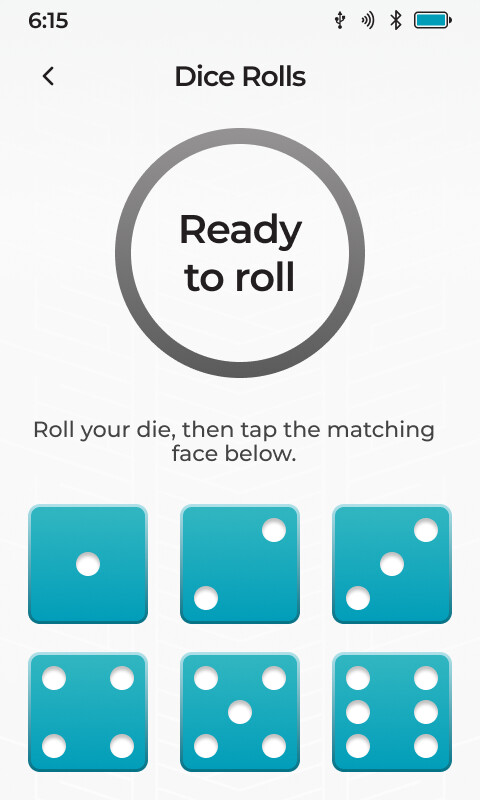
The dice flow works differently from words in a hat. You enter each roll on Passport Prime as you go, and it builds the full seed from your rolls. There’s no need to roll for 23 words and calculate the last one, because the checksum word is worked out as part of that.
Yes, you can reuse your Keycards for a new Master Key. When you back up the new Master Key, Passport Prime will warn you that the cards belong to a different Master Key and offer to overwrite them.
A new Master Key creates a completely new wallet, with new Bitcoin accounts and addresses. Nothing carries over from your current one, so the order matters:
Before you erase anything, make sure you have a complete backup of your current Master Key that you won’t be overwriting, such as your seed words.
Set up Passport Prime with the new Master Key and back it up.
Send your funds from your old accounts to the new ones.
Only once everything has moved and you’ve confirmed you can recover the new wallet should you overwrite or discard the old backup.
Also, creating a 24-word or dice-roll Master Key directly on Passport Prime isn’t available yet. If you reset today, Passport Prime will create a 12-word Master Key unless you restore a 24-word seed you generated yourself. It may be worth waiting for that release before starting over.